ICC Profiles
Picture Salon provides our custom ICC profiles for customers who demand an extra level of control when adjusting their images for print.
These profiles are the same ones that we use for printing on paper and canvas and can allow you to better visualize the contrast and color characteristics of a particular paper or canvas before printing. Please note: Using ICC Profiles for soft proofing in Photoshop / other applications is not recommended for most customers. If you do not have a high quality, calibrated monitor, controlled lighting, and a well versed knowledge of how soft proofing works, we highly recommend not using our ICC profiles, and instead using the Calibration Cards discussed on the right side of this page.
Paper Profiles
- Somerset Velvet
- Elegance
- UltraSmooth
- Photo Rag
- Bamboo
- Premium Glossy
- Premium Luster
- Premium Semimatte
- Enhanced Matte
- Fine Art Bright White
Canvas Profiles
Installing an ICC Profile
Step 1
We recommend downloading the ICC profile to your desktop or saving them to a folder labeled "ICC Profiles". Before installing them, make sure to close Photoshop.
Step 2
Right-click your mouse and then select "Install Profile". The ICC profile will automatically be installed in a root directory on your PC. If you do not have such an option, you may also copy the ICC Profile icon and paste it into the proper folder location.
Windows NT, 2000, XP, Vista, Win 7 - Windows > System32 > Spool > Drivers > Color
98 & ME - Windows > System > Color
Apple/Mac users
Copy and paste the ICC Profile icon into the following folder location:
Apple Mac OS X 10.4 and up - Library > ColorSync > Profiles
Apple Mac OS 9 - System Folder > ColorSync > Profiles
Step 3
Restart Photoshop and the profiles will be available.

Calibration cards
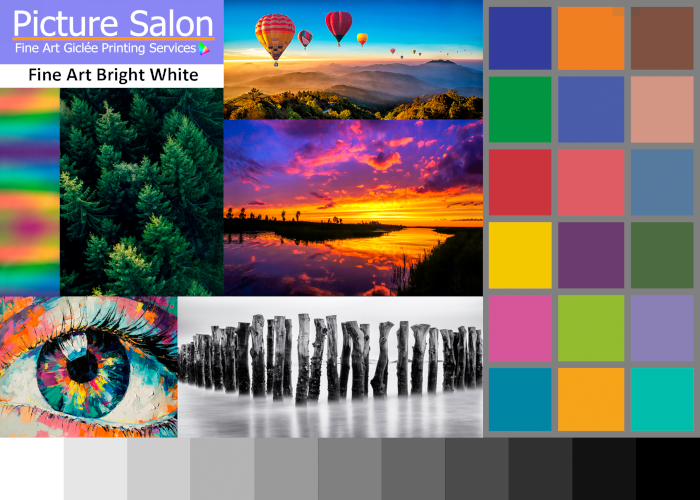
Calibration cards are a free, useful tool for seeing how colors are displayed on each paper type, and for soft proofing.
To use this card for soft proofing, you will need to order a card on your desired paper type, and then download the digital card using this link: Calibration_Card.tiff
Once you receive your physical Calibration Card, you can then compare it to the digital file, and make adjustments to your monitor in order to make them as close as possible. Soft Proofing is not a guaranteed way to make sure your colors match, but will help show the general direction of your printed file. If color accuracy is of upmost importance, we always recommend adding a proof to your print order.